

Starting an online small business without a proper accounting setup can quickly create confusion around taxes, cash flow, profits, and expenses. The best approach is to build a simple accounting system early, automate repetitive financial tasks where possible, and create clean financial records from day one. Doing this helps online businesses avoid reporting mistakes, manage growth better, and make faster business decisions.
Whether you sell products, run a service-based business, manage affiliate websites, or operate an eCommerce store, your accounting system becomes the foundation of long-term stability. Many small businesses fail financially not because they lack sales, but because they lose track of money movement, tax obligations, or cash flow timing.
Why Accounting Matters for Online Small Businesses
Online businesses often handle transactions across multiple platforms like Shopify, Etsy, Amazon, PayPal, Stripe, WooCommerce, and bank transfers. This creates fragmented financial records if there is no organized system in place.
Good accounting helps you:
- Track revenue and real profit
- Prepare taxes accurately
- Monitor business expenses
- Understand cash flow trends
- Avoid financial reporting errors
- Apply for loans or funding more easily
- Detect suspicious transactions faster
Many owners delay accounting setup until tax season arrives. By then, receipts are missing, bank statements are mixed with personal spending, and reconciliation becomes stressful.
A clean setup from the beginning saves time and prevents expensive mistakes later.
Step 1: Open a Separate Business Bank Account
The first step is separating business finances from personal finances. Mixing both creates bookkeeping confusion and makes tax filing harder.
A dedicated business account gives you cleaner financial records and simplifies monthly reconciliation. It also helps lenders and accountants review your business performance more accurately.
Most online businesses should separate:
| Account Type | Purpose |
| Business Checking | Daily operations |
| Business Savings | Emergency funds and taxes |
| Payment Processor Accounts | Stripe, PayPal, Square |
| Credit Card | Business purchases only |
This separation becomes especially important once transaction volume increases.
Step 2: Choose the Right Accounting Method
Small online businesses generally choose between cash accounting and accrual accounting.
Here is a simple comparison:
| Method | Best For | How It Works |
| Cash Accounting | Freelancers and very small stores | Records money when received or paid |
| Accrual Accounting | Growing online businesses | Records income and expenses when earned or incurred |
Cash accounting feels simpler in the beginning. However, accrual accounting gives a more accurate picture of business performance if you manage inventory, invoices, subscriptions, or large order volumes.
Many growing eCommerce brands eventually switch to accrual accounting because it tracks liabilities and revenue timing more accurately.
Step 3: Select Accounting Software Early
Manual spreadsheets work temporarily, but they become unreliable once sales increase across multiple channels.
Good accounting software reduces manual entry and improves reporting accuracy. It can automatically categorize expenses, import bank feeds, and generate financial statements.
Popular choices include:
- QuickBooks
- Xero
- FreshBooks
- Wave
When selecting software, focus on:
- Bank integrations
- Payment processor syncing
- Inventory support
- Tax reporting
- Invoice management
- Multi-platform reconciliation
Online businesses handling large statement volumes often use specialized extraction tools alongside accounting software to reduce formatting issues and manual cleanup work.
Step 4: Build a Simple Chart of Accounts
A chart of accounts organizes your financial activity into categories. Without structure, reports become messy and difficult to analyze.
Your categories should stay simple in the beginning.
Common online business accounts include:
| Income Accounts | Expense Accounts | Income Accounts |
| Product Sales | Advertising | Product Sales |
| Affiliate Revenue | Shipping | Affiliate Revenue |
| Consulting Income | Software Subscriptions | Consulting Income |
| Subscription Revenue | Website Hosting | Subscription Revenue |
| Refunds | Contractor Payments | Refunds |
| Marketplace Revenue | Payment Processing Fees | Marketplace Revenue |
Avoid creating dozens of unnecessary categories early on. Too much complexity slows bookkeeping and increases classification errors.
Step 5: Automate Expense Tracking
Expense tracking is one of the most overlooked areas in online businesses. Small recurring charges from software tools, subscriptions, advertising campaigns, and apps can quietly reduce profit margins.
Automation reduces forgotten expenses and minimizes data-entry mistakes.
You can automate tracking by:
- Connecting bank feeds directly to accounting software
- Using receipt-scanning apps
- Creating automatic expense rules
- Syncing eCommerce platforms
- Categorizing recurring vendor payments
Reducing manual financial entry matters because humans frequently misclassify transactions or miss duplicate entries.
As transaction volume grows, automation becomes less about convenience and more about accuracy.
Step 6: Reconcile Accounts Every Month
Bank reconciliation means matching accounting records against actual bank and payment processor transactions.
This process helps identify:
- Missing transactions
- Duplicate entries
- Fraud indicators
- Processing discrepancies
- Chargeback issues
- Unauthorized withdrawals
Many online businesses skip reconciliation until year-end, which creates major reporting problems.
Monthly reconciliation keeps records clean and easier to correct.
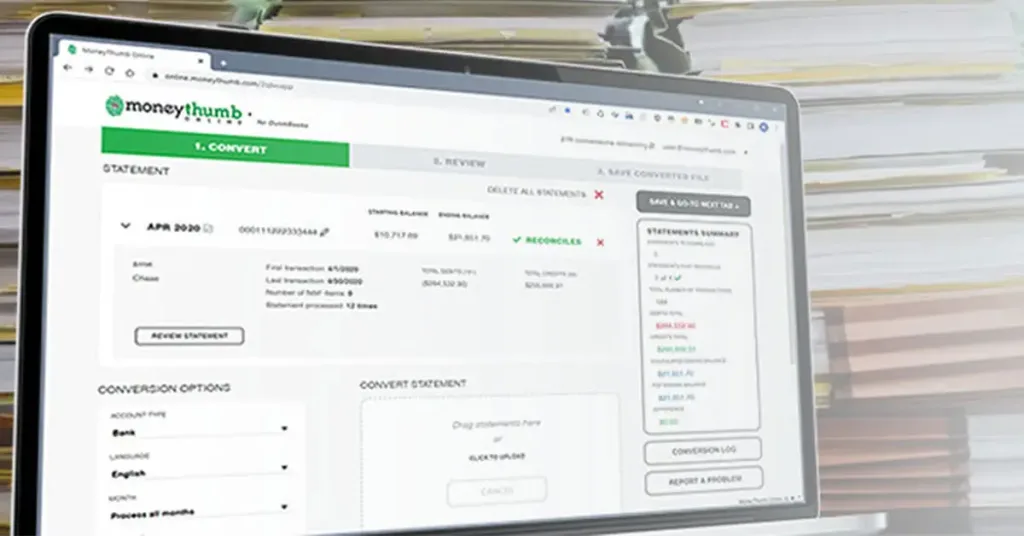
Some businesses handling high document volume use automated statement extraction systems to speed up reconciliation accuracy. Tools such as MoneyThumb are often used to convert PDF bank statements into structured financial data, reducing manual cleanup and helping businesses maintain consistent reporting across different statement formats.
Step 7: Understand Cash Flow Instead of Revenue Alone
Revenue does not always equal financial health.
Many online businesses generate strong sales while struggling with cash shortages because expenses arrive before customer payments clear.
You need to monitor:
| Cash Flow Factor | Why It Matters |
| Ad Spend Timing | Marketing costs hit immediately |
| Refund Rates | Reduces actual retained revenue |
| Inventory Purchases | Cash leaves before products sell |
| Payment Holds | Delayed processor payouts |
| Subscription Expenses | Ongoing monthly liabilities |
Cash flow forecasting helps business owners avoid panic during slow months. Even a basic 90-day projection can improve financial planning dramatically.
Step 8: Prepare for Taxes from Day One
Taxes become overwhelming when businesses wait until filing deadlines approach.
Online businesses may deal with:
- Sales tax
- Income tax
- Self-employment tax
- International tax rules
- Marketplace facilitator taxes
A common recommendation is setting aside a percentage of every payment into a separate tax savings account.
Good recordkeeping also reduces audit risk because transactions remain documented and categorized properly.
Keep records for:
- Receipts
- Vendor invoices
- Payroll records
- Contractor payments
- Advertising expenses
- Shipping costs
- Software subscriptions
Cloud storage systems make organization easier and reduce document loss.
Step 9: Reduce Financial Errors With Document Automation
Financial errors often come from repetitive manual work. Typing data from PDF bank statements, invoices, or merchant reports into spreadsheets creates opportunities for mistakes. Even a single misplaced digit can affect reconciliation, cash flow reporting, or loan applications.
Modern businesses increasingly use document automation to improve speed and consistency.
Machine learning systems can now:
- Detect duplicate transactions
- Identify abnormal deposit patterns
- Flag inconsistent cash flow behavior
- Recognize suspicious edits in bank statements
- Extract financial data automatically
- Compare statement structures across multiple files
This matters for both businesses and lenders.
Traditional lenders are also using automation to compete with fintech companies that process SMB applications much faster. Automated statement analysis helps lenders review documents quicker while reducing fraud risk.
Businesses processing large numbers of merchant statements often rely on structured extraction platforms like MoneyThumb because standardized financial data improves reconciliation quality and reduces processing delays across multiple merchants and banking formats.
Step 10: Review Financial Reports Every Month
Accounting is not only about taxes. It is also about understanding how your business performs.
Reviewing reports monthly helps identify trends before they become problems.
Focus on these core reports:
| Report | What It Shows |
| Profit & Loss Statement | Revenue and expenses |
| Balance Sheet | Assets and liabilities |
| Cash Flow Statement | Actual money movement |
| Accounts Receivable | Outstanding customer payments |
Monthly reviews help answer important questions:
- Are profits increasing?
- Which expenses are growing too fast?
- Is advertising producing positive returns?
- Are refunds hurting margins?
- Is inventory sitting too long?
Businesses that regularly analyze reports usually make faster and smarter financial decisions.
Common Accounting Mistakes Online Businesses Make
Many accounting problems come from avoidable habits.
Here are some of the most common mistakes:
| Mistake | Impact |
| Mixing personal and business spending | Complicated bookkeeping |
| Ignoring reconciliation | Hidden errors accumulate |
| Waiting until tax season | Stress and missing records |
| Manual spreadsheet dependence | Higher error risk |
| Poor receipt organization | Audit complications |
Fixing these problems early creates a much smoother financial system later.
How Online Businesses Can Improve Financial Accuracy
Financial accuracy improves when systems become consistent.
Businesses should create repeatable workflows for:
- Invoice handling
- Expense approvals
- Statement reconciliation
- Receipt storage
- Tax preparation
- Vendor payments
Accuracy also improves when fewer people manually touch financial data.
Automation reduces human inconsistency while improving speed. For businesses managing multiple sales channels, centralized reporting becomes especially important because platform reports rarely match perfectly without adjustment.
The Growing Role of AI in Financial Reconciliation
Artificial intelligence is becoming more common in accounting and financial operations. AI-driven systems can now analyze thousands of transactions quickly while identifying unusual behavior patterns that humans may miss.
Examples include:
- Hidden cash flow inconsistencies
- Unusual transfer timing
- Duplicate merchant activity
- Fraud-related anomalies
- Abnormal revenue fluctuations
Machine learning models continue improving because they learn from large financial datasets over time.
This helps lenders, accountants, and businesses review financial records more efficiently while improving risk detection.
Although AI improves efficiency, human review still matters. Businesses should combine automation with regular oversight instead of relying entirely on software decisions.
Best Practices for Long-Term Financial Stability
Strong accounting systems are built through consistency, not complexity.
Small online businesses usually perform better financially when they:
- Reconcile monthly
- Separate accounts properly
- Track cash flow carefully
- Automate repetitive tasks
- Store documents securely
- Review reports consistently
- Reduce manual entry whenever possible
Simple habits repeated consistently create cleaner financial records than complicated systems that nobody maintains properly.
Conclusion
Setting up accounting for your online small business is not just about bookkeeping. It directly affects cash flow management, tax compliance, lending readiness, fraud prevention, and long-term growth.
The earlier you create organized financial systems, the easier it becomes to manage scaling operations across payment processors, marketplaces, subscriptions, and customer transactions. Automated reconciliation, structured reporting, and accurate document handling also reduce manual workload and improve confidence in your financial data.
Online businesses that treat accounting seriously from the beginning usually avoid many of the problems that slow growth later. Even small improvements in financial organization can save significant time, reduce costly mistakes, and help business owners make better decisions with real numbers instead of guesswork.
FAQs
What is the best accounting method for a new online business?
Cash accounting works well for smaller businesses with simple transactions. Accrual accounting becomes more useful as revenue, inventory, subscriptions, or invoices increase.
How often should online businesses reconcile bank accounts?
Most businesses should reconcile accounts monthly. High-volume stores may benefit from weekly reconciliation to catch errors and cash flow issues earlier.
Can automation reduce bookkeeping mistakes?
Yes. Automated transaction imports, statement extraction, and receipt tracking reduce manual entry errors and improve consistency across financial records.
Why do lenders care about clean financial records?
Lenders use financial statements to evaluate risk, revenue stability, and cash flow health. Organized accounting records help speed up approvals and improve credibility.
References
- https://www.moneythumb.com/blog/small-online-business/
- https://www.irs.gov/businesses/small-businesses-self-employed
- https://quickbooks.intuit.com/
- https://www.xero.com/
- https://www.sba.gov/business-guide/manage-your-business/manage-your-finances
- https://www.fedsmallbusiness.org/
- https://hbr.org/2020/09/a-cash-flow-strategy-for-your-business
- https://www.investopedia.com/accounting-basics-4689730
- https://www.nerdwallet.com/article/small-business/small-business-bookkeeping
- https://stripe.com/guides



















Add comment